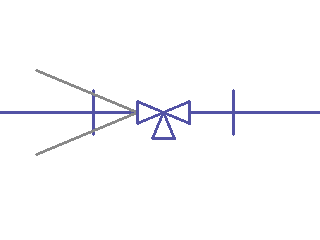
Design Master Plumbing will insert a pipe symbol on a pipe using a default orientation. If you need to flip the symbol to face the other side of the pipe, use the Flip Pipe Symbol command.
To flip a pipe symbol, select:
DM Plumbing4 Pipe Symbols 4 Flip Pipe Symbol
You will be prompted to Select pipe symbol to flip:
Click on the symbol you wish to flip.
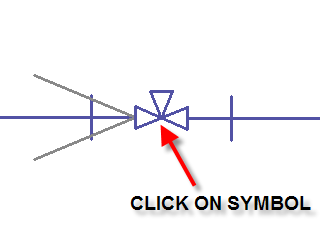
The symbol will flip to face the other side of the pipe.