Export

Exports customization settings to an external .fbimc file. This file can be imported into other projects.
Opens the Export Customization dialog box:
Export Customization Dialog Box
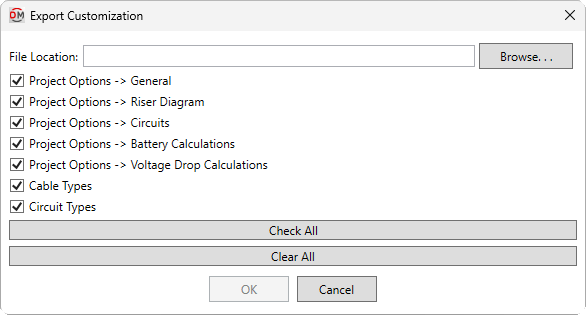
Multiple customization settings can be selected to be exported.
-
File Location: The file name and location to which the customization settings will be exported.
-
Press this button to select a name and location for the file.
-
☐ Project Options -> <Section> Options set in the specified section of the Project Options command.
-
☐ Cable Types Settings in the Cable Types command.
-
☐ Circuit Types Settings in the Circuit Types command.
-
Press this button to check all of the customization settings boxes.
-
Press this button to uncheck all of the customization settings boxes.
Press the button to export the file.