Import

Imports customization settings previously exported to a .fbimc file using the Customization→Export command.
Opens the Import Customization dialog box:
Import Customization Dialog Box
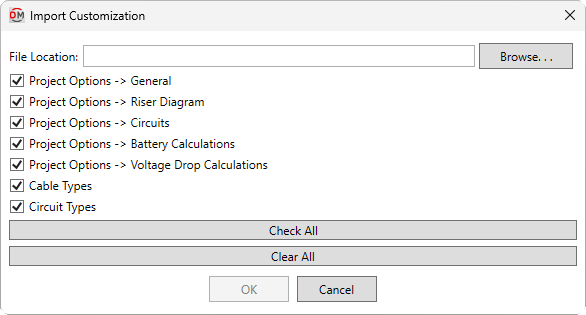
Multiple customization settings can be selected to be imported. Settings not present in the specified file will not be selectable.
-
File Location: The file name and location from which the customization settings will be imported.
-
Press this button to specify the name and location of the file.
-
☐ Project Options -> <Section> Options set in the specified section of the Project Options command.
-
☐ Cable Types Settings in the Cable Types command.
-
☐ Circuit Types Settings in the Circuit Types command.
-
Press this button to check all of the customization settings boxes.
-
Press this button to uncheck all of the customization settings boxes.
Press the button to import the file. All of the selected customization settings will be overwritten. Cable and circuit types only present in the project or in the customization file will be preserved.