Modifying Equipment on the Drawing
This tutorial teaches you how to modify equipment that is inserted on a drawing.
Open drawing E-2.1,2.
Move Equipment & Disconnect
Use the AutoCAD MOVE command to move the equipment on the drawing. The equipment connection and the disconnect can be moved separately.
Copy Equipment
Use the AutoCAD COPY command to make a copy of equipment on the drawing. You only need to copy the equipment connection. The disconnect will be copied automatically.
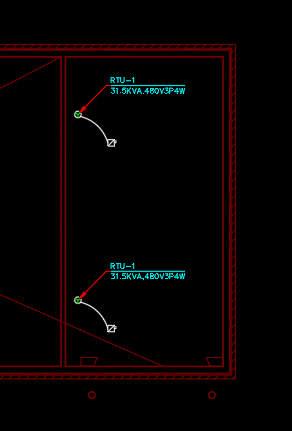
Change a Single Piece of Equipment
-
Run the
Query Device command.
Ribbon:DM Electrical→Devices→  Query Device
Pulldown Menu:DM Electrical→Modify Devices→Query Device -
Select the equipment that you copied. The Edit Equipment dialog box will open.
-
Set Equipment Callout to RTU-2.
-
Press the button to save the changes.
Change Multiple Pieces of Equipment
-
Run the
Query or Edit Multiple Equipment command. The Select Equipment to Query or Edit Multiple dialog box will open.
Ribbon:DM Electrical→Devices→  Query or Edit Multiple Equipment
Pulldown Menu:DM Electrical→Equipment→Query or Edit Multiple Equipment -
Press the button.
-
Select the two pieces of equipment on the drawing. The Edit Multiple Equipment dialog box will open.
-
Set Drawing Note 1 to ON ROOF.
-
Press the button to save the changes.