Edit Conduit Branch
The
To edit all of the conduits in a connected branch, go to
Ribbon:  Edit Conduit Branch
Pulldown Menu:
You will be prompted to select a single conduit.
Select conduit in branch to edit:
The Edit Multiple Conduits dialog box will open.
Edit Multiple Conduits Dialog Box
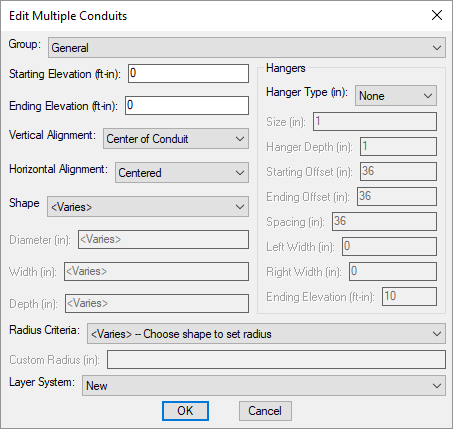
Changes can be made to the conduits in the same way as when they were inserted. Visit the Insert Conduit section for more information.