Junction Box Project Schedule
The junction box project schedule contains the junction box types that can be used in the current project.
To create and modify junction box types, go to
Ribbon:  Junction Box Project Schedule
Pulldown Menu:
Junction Box Project Schedule Dialog Box
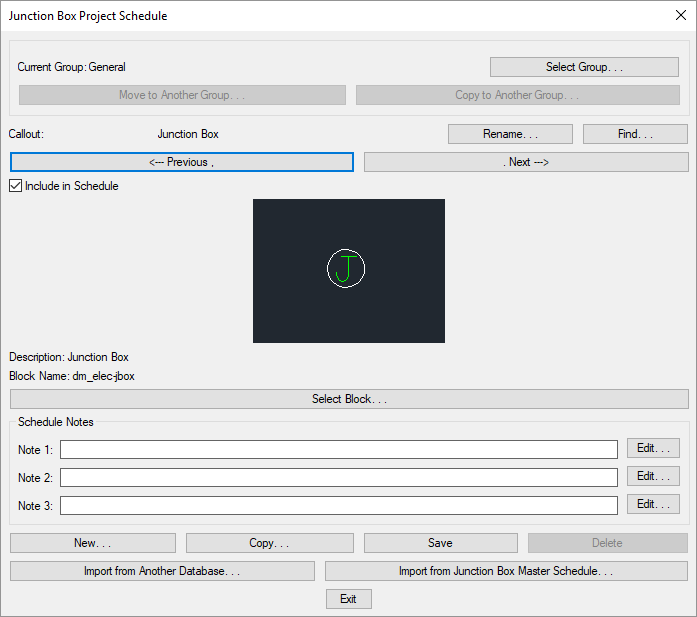
Visit the Common Schedule Dialog Box Features section for more information about how this dialog box works. This section describes the , , , , , , , and buttons.
Visit the Common Junction Box Information section for more information about the values that can be specified for junction boxes using this dialog box.
Visit the Import from Another Database and Import from Master Schedule sections for more information about importing junction boxes to the current project from other locations.
-
Current Group: The active junction box group is listed here. All of the junction box types that are created and modified will be associated with this group.
-
Press this button to open the Junction Box Project Schedule Groups dialog box. The group selected will become the current group. Visit the Schedule Groups section for more information.
-
Press this button to open the Select Junction Box Block dialog box. This dialog box allows you to choose the block used to represent the junction box on the drawing.

You can add more blocks to this list using the Junction Box Blocks→Edit Project List command.