Create and Edit Lighting Groups
To create or edit a lighting group, go to
Ribbon:  Create and Edit Lighting Groups
Pulldown Menu:
Lighting Group Dialog Box
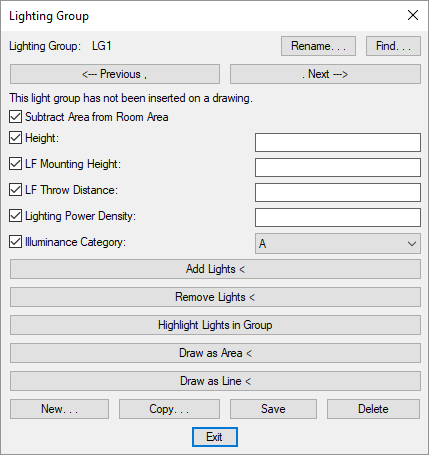
Visit the Common Schedule Dialog Box Features section for more information about how this dialog box works. This section describes the , , , , , , , and buttons.
Check the box beside a setting to change it. Visit the Common Lighting Group Information section for more information about the values in this dialog box.
-
Visit the Add Lights To Group section for more information.
-
Visit the Remove Lights from Groups section for more information.
-
Visit the Highlight Lights in Group section for more information.
-
Visit the Draw Lighting Group section for more information.
-
Visit the Draw Lighting Group section for more information.