Copy and Increment Circuits
The
To copy a device and circuit the copy, go to
Ribbon:  Copy and Increment Circuits
Pulldown Menu:
You will be prompted to select the devices to be copied.
Select objects:
You will then be prompted to specify a location for the new devices.
Specify base point:
Specify second point:
The Increment Circuits dialog box will open.
Increment Circuits Dialog Box
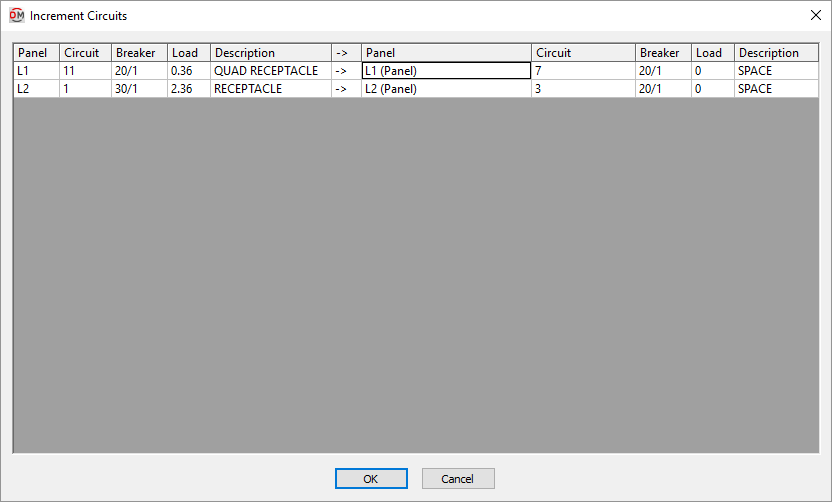
The Increment Circuits dialog box is broken into two sections, separated by the arrow (->) column.
The left section lists information about the circuits connected to the devices being copied. Each circuit being copied is listed. The associated Panel ☰, Breaker ☰, Load ☰, and Description ☰ for the circuit are also displayed.
The right section lists the circuit to which the new devices will be connected. You can change the Panel ▾, Circuit ▾, and Description columns for each circuit.