Override Review

Allows you to review device and circuit settings that are being overridden and document the reason when needed.
Opens the Override Review dialog box:
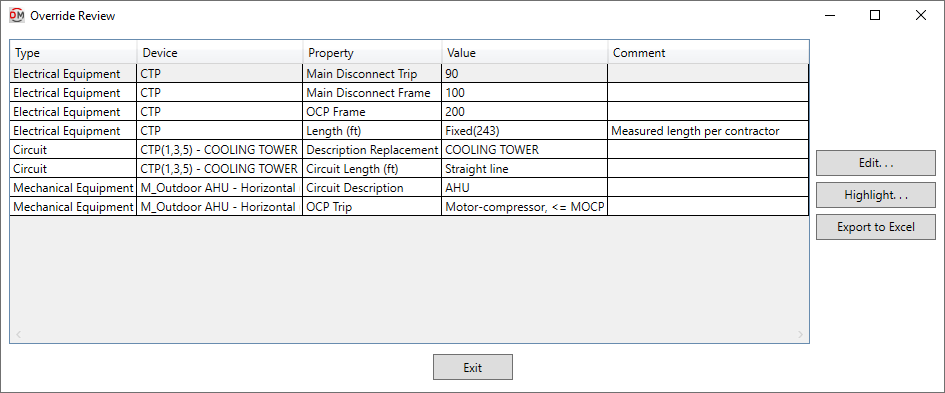
Override Review Dialog Box
-
Type ☰ The family category of the device.
-
Device ☰ The name of the device. For circuits, the circuit number and description will be displayed.
-
Property ☰ The setting that is being overridden on the device or circuit.
-
Value ☰ The value that has been entered for the setting.
-
Comment Enter a comment describing the reason for overriding the setting.
-
Press this button to close this dialog box and run the appropriate
Edit command for the selected device or circuit. -
Press this button to highlight the selected device or circuit in the model or on the single-line diagram, similar to the Revit Highlight in Model command. If the device or circuit exists on multiple views, you will be prompted to specify a view.
-
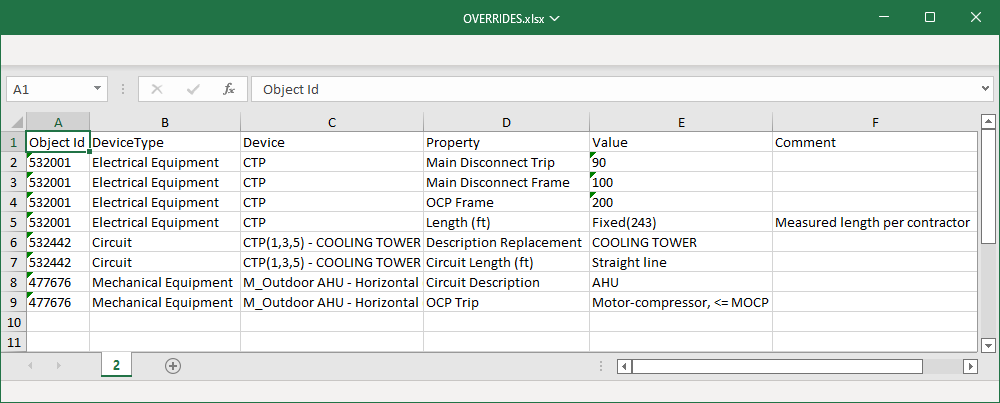
Press this button to export the contents of this dialog box to an XLSX or CSV file that can be opened in Excel.