HVAC Customization Folder Location
To see where your Design Master HVAC customization folder is located, use the Installation Settings command.
Local Install
The customization folder location is provided in the Customization Folder field.
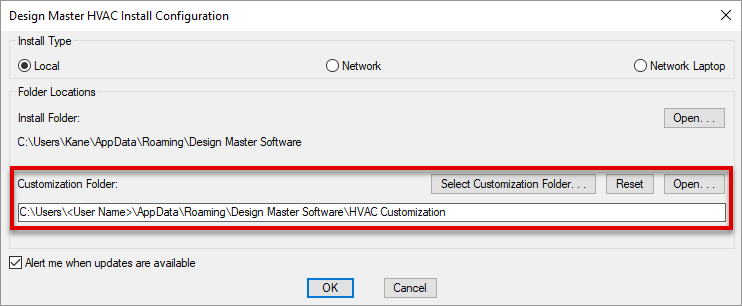
The default location for a local install is
C:\Users\<User Name>\AppData\Roaming\Design Master Software\HVAC Customization
where <User Name> is the name you use to log in to your computer.
To view the contents of your customization folder, press the button. The folder will open in Windows Explorer.
Network Install
The customization folder location is provided in the Customization Folder field.
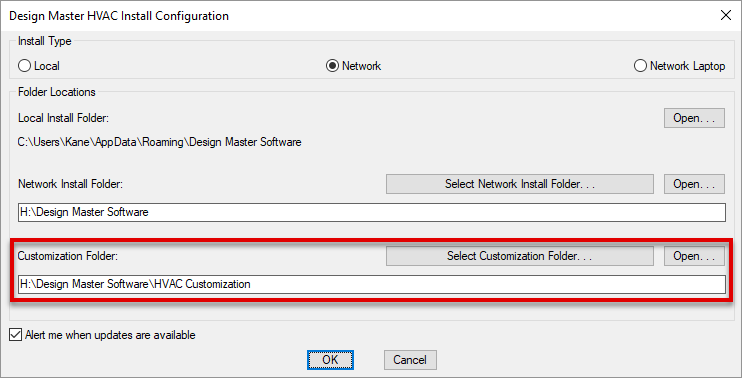
The default location for a network install is
<Install Folder>\HVAC Customization
where <Install Folder> is the location on the network where Design Master HVAC is installed.
To view the contents of your customization folder, press the button. The folder will open in Windows Explorer.