City Definitions
The
To view and modify the city list, go to
Ribbon:  City Definitions
Pulldown Menu:
City List Dialog Box
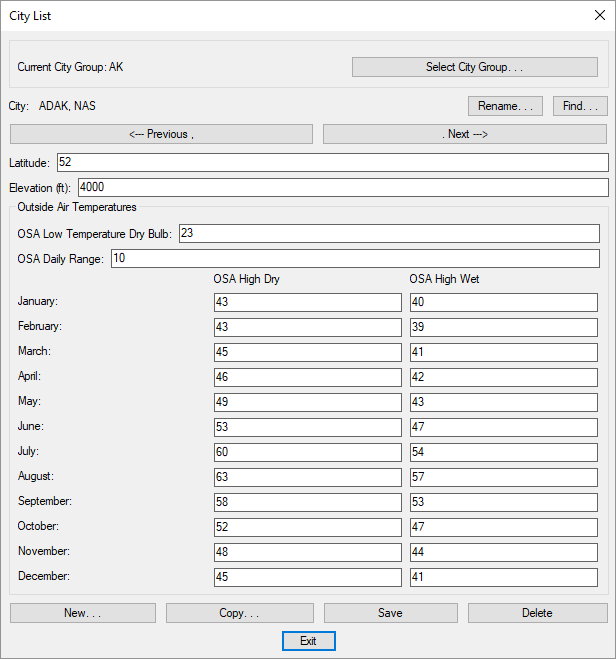
Visit the Common Schedule Dialog Box Features section for more information about how this dialog box works. This section describes the , , , , , , , and buttons.
-
Current City Group: The active city group is listed here. All of the cities that are created and modified will be associated with this group. The default customization defines each state as a separate group.
-
Press this button to open the City Groups dialog box. The group selected will become the current group. Visit the Common Groups Dialog Box Features section for more information.
-
City: The name of the city.
-
Latitude: The latitude at which the city is located.
-
Elevation: The elevation at which the city is located.
Outside Air Temperatures
All temperatures are in degrees Fahrenheit.
-
OSA Low Temperature Dry Bulb: The temperature used when calculating heating loads.
-
OSA Daily Range: The temperature range during the day used when calculating cooling loads.
-
January:, February: . . . November:, December: The outside air high temperatures used when calculating cooling loads for each month.
-
OSA High Dry The outside air dry-bulb temperature for the specified month used when calculating cooling loads.
-
OSA High Wet The outside air wet-bulb temperature for the specified month used when calculating cooling loads.