
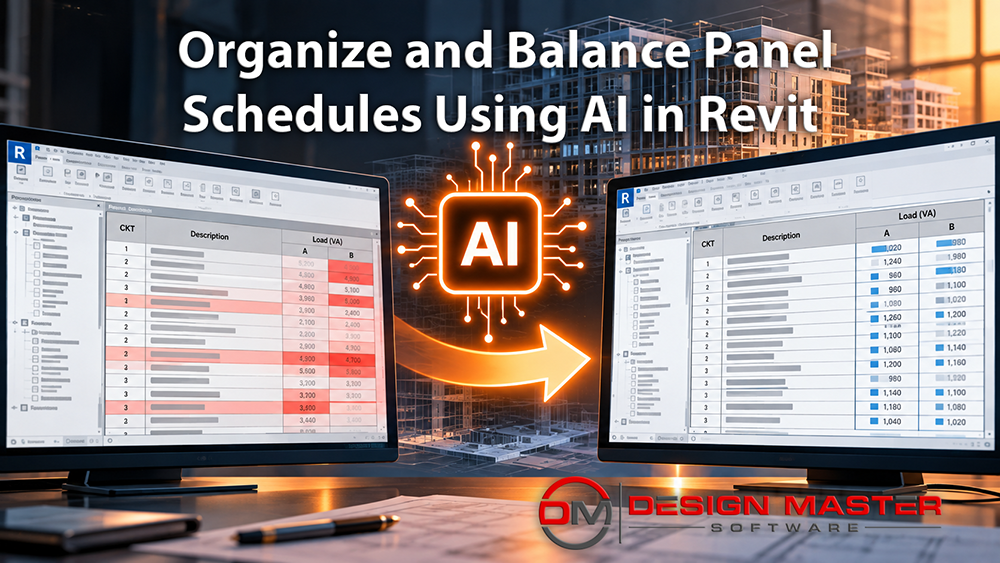
What would normally take days of manual work took an AI agent 32 minutes.
In a recent test, we gave an AI agent access to an electrical Revit project and asked it to balance loads, organize circuits, and clean up circuit descriptions across 201 panel schedules. The AI completed the work without anyone sitting at the keyboard. More importantly, while working through the project, it identified a likely design error: one panel was feeding devices located in the wrong dwelling unit.
The experiment provides a useful example of what AI-assisted electrical design looks like when AI moves beyond answering questions and begins working directly inside Revit.
Starting With One Panel Schedule
The test began with Autodesk’s Snowden Towers Revit sample project. Rather than immediately turning the AI loose on the entire building, we started with a single panel, P102.
The instructions were straightforward: balance the panel, organize the loads, and improve the circuit descriptions. The AI worked for approximately five minutes and then reported what it had done. It balanced the loads, rearranged circuits, and updated descriptions. It also noted that the panel appeared to be overloaded.
That last observation was outside the intended scope of the exercise. Panel sizing is obviously important, but we wanted this particular workflow to focus on organizing circuits rather than redesigning panels. That distinction became important when we turned the initial experiment into a repeatable process.
How Does AI Work Directly in Revit?
The technology behind the demonstration consisted of three primary components: Revit, an AI agent, and an MCP server.
Revit contained the electrical model. The AI agent interpreted our instructions and determined what actions to take. The ElectroBIM MCP server connected the two.
MCP, or Model Context Protocol, provides a way for AI agents to connect with external software and tools. In this case, it allows the agent to interact with electrical design information and perform work inside Revit.
That is an important distinction from using a conventional AI chatbot. An AI chatbot can explain how an engineer might balance a panel schedule. An AI agent connected through MCP can actually inspect and modify the panel schedule in the Revit project.
Creating a Repeatable AI Workflow
Once the first panel was complete, we asked the AI to document the process it had followed. Depending on the AI platform, these reusable instructions might be described as skills, playbooks, or simply instructions.
The terminology matters less than the concept. The AI does not simply perform a task once and permanently “learn” how your firm wants it done. The process needs to be documented so the agent can reference those instructions the next time it performs the task.
In this case, we had the AI write its own instructions based on what it had just done. We then reviewed them and found that it had incorporated total-load analysis into the procedure. Because we wanted this workflow to focus specifically on circuit cleanup, we told the AI to remove that step.
We tested the revised instructions on a second panel. In about four minutes, the AI balanced the loads, reorganized the circuits, updated descriptions, and reported several naming decisions that might warrant review.
With that test complete, it was time to scale up.
201 Revit Panels in 32 Minutes
We instructed the AI to apply the process throughout the Snowden Towers project. It found 201 panels and began working through them.
The entire process took approximately 32 minutes of wall-clock time.
The resulting schedules had better load balance, improved circuit organization, and updated descriptions. The AI also reported constraints it encountered. For example, several large receptacle loads limited how evenly certain panels could be balanced.
This reporting is an important part of the workflow. The goal is not simply automation. It is reviewable automation. The engineer should be able to see what the AI changed and identify decisions that deserve closer examination.
That became particularly valuable when the AI began reporting potential problems it discovered while doing the work.
Finding an Electrical Design Error
Among the issues identified by the AI was an unusual condition involving panel P406. The panel was feeding devices located in Unit 504.
That appeared to be an obvious error.
We instructed the AI to investigate and correct it. In approximately two minutes, the agent determined where the circuits belonged, moved the Unit 504 circuits to panel P504, and then rebalanced both affected panels.
Other questions were less clear. The AI found, for example, a panel serving a combination of stair lighting, restroom lighting, and other loads that it considered questionable. In a real project, that would be a point where the electrical engineer should investigate before making a change.
This illustrates an important distinction in AI-assisted electrical engineering. The AI can perform repetitive work and surface anomalies, but the engineer remains responsible for engineering judgment.
Making the Process Reusable on Other Revit Projects
The original instructions had been developed while working on Snowden Towers, so they inevitably accumulated project-specific assumptions. Before using them elsewhere, we asked the AI to generalize the process.
It removed Snowden-specific naming conventions, expanded the applicable voltages, and reviewed rules concerning spaces and spare circuits. We then made several additional adjustments based on how we wanted the workflow to behave.
Finally, we opened a different Autodesk Revit sample project and gave the AI the generalized instructions.
It found 29 panels and processed them in approximately 13 minutes. Again, it balanced and organized the schedules, improved circuit descriptions, and presented the engineer with questions and judgment calls that deserved review.
The same process originally developed on one project could now be reused on another.
What This Means for AI in Electrical Engineering
The most interesting result of this experiment is not that AI can rename circuits or rearrange a panel schedule. It is the larger workflow those capabilities demonstrate.
An electrical engineer can define a process, give an AI agent access to the appropriate Revit tools, allow it to perform repetitive work across an entire project, and then concentrate on the exceptions and engineering decisions the AI identifies.
The demonstration was performed in Revit 2024, and the workflow works with versions back to Revit 2022. It requires an AI agent, such as Claude Code, Codex, or GitHub Copilot, along with an MCP server that allows the agent to interact with Revit. ElectroBIM provides that MCP connection for electrical design workflows.
For electrical engineers and BIM managers, that changes the most useful question to ask about AI. Instead of wondering what AI might eventually be capable of, it is increasingly possible to ask something much more practical: Can it already do it?