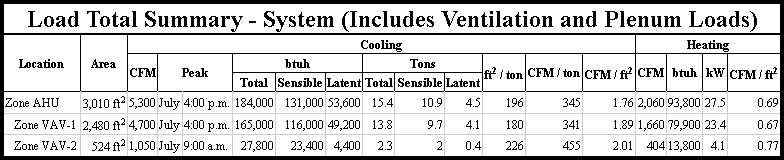
The basic element when calculating building loads in Design Master HVAC is the room. Rooms can be grouped together in zones. The load in a zone is the sum of the loads in the rooms that are in the zone.
It is possible to go one step further and group zones together in zones to represent multiple levels of mechanical equipment, such as a main air handler serving multiple VAV boxes.
To specify how your zones are arranged, use the “DM HVAC->Building Definition->Zones->Zone Tree” command. Zones and rooms can be dragged in the tree to the appropriate location.
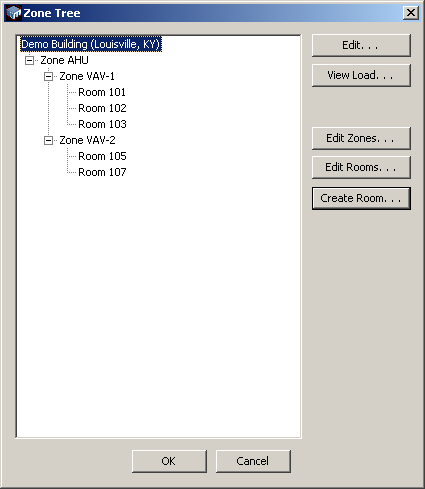
To calculate the load in a zone containing other zones, Design Master HVAC keeps following the zone tree until it gets to rooms. All of these rooms are used to calculate the total load in the zone.
When printing the load calculations, each zone and its associated load is listed in the output. Zones that are contained in other zones are indented to indicate their relationship to each other.